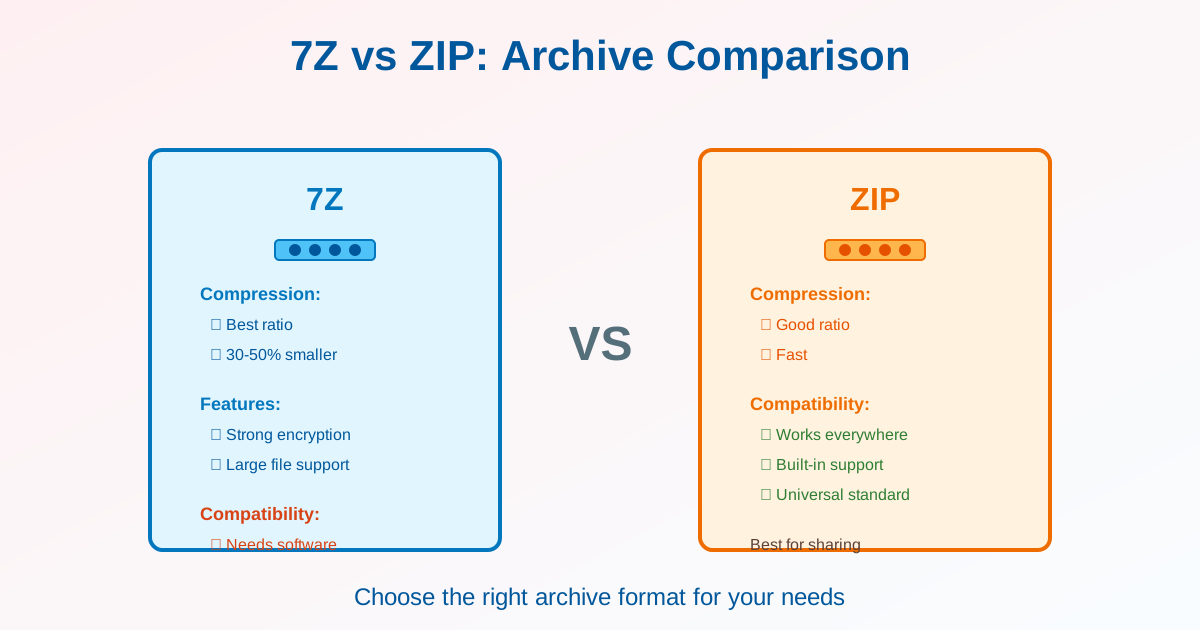
7Z and ZIP are popular archive formats for compressing files. 7Z offers better compression (30-50% smaller files) but requires software. ZIP creates larger files but works everywhere without software. This guide compares both formats to help you choose the right one.
Quick Comparison
| Feature | 7Z | ZIP |
|---|---|---|
| Compression ratio | Excellent (30-50% better) | Good |
| Compatibility | Requires software | Universal (built-in) |
| Speed | Slower | Faster |
| Encryption | AES-256 (stronger) | AES-256 or ZipCrypto |
| File size limit | 16 EB (unlimited) | 4 GB (ZIP64: 16 EB) |
| Best for | Archival, storage | Sharing, distribution |
Compression Comparison
Real-World Example
Compressing 1 GB of mixed files (documents, images, videos):
- Original size: 1000 MB
- ZIP: ~650 MB (35% compression)
- 7Z: ~450 MB (55% compression)
- Difference: 7Z is 200 MB (30%) smaller than ZIP
What Compresses Well
| File Type | Compression | 7Z Advantage |
|---|---|---|
| Text, code, logs | 80-90% | Significant (40-50% smaller) |
| Office documents | 50-70% | Moderate (20-30% smaller) |
| Images (JPG, PNG) | 5-15% | Minimal (already compressed) |
| Videos, music | 0-5% | None (already compressed) |
Compatibility Differences
ZIP: Universal Support
- Windows: Built-in since Windows XP (right-click → Extract)
- macOS: Built-in (double-click to extract)
- Linux: Built-in via unzip command
- Mobile: iOS and Android support ZIP natively
- No software needed: Works everywhere immediately
7Z: Requires Software
- Windows: Install 7-Zip, WinRAR, or PeaZip
- macOS: Install Keka, The Unarchiver, or p7zip
- Linux: Install p7zip package
- Mobile: Install third-party apps
- Inconvenience: Recipients need to install software first
Speed Comparison
Compression Time
Time to compress 1 GB of files:
- ZIP (fast mode): 30 seconds
- ZIP (maximum compression): 1-2 minutes
- 7Z (default): 3-5 minutes
- 7Z (ultra compression): 10-15 minutes
Extraction Time
7Z and ZIP extract at similar speeds. Extraction is faster than compression for both formats.
When to Use Each Format
Use ZIP When:
- Sharing files: Recipients can open immediately
- Email attachments: Universal compatibility
- Web distribution: Users don't need special software
- Speed matters: Faster compression/extraction
- Cross-platform work: Windows, Mac, Linux users
Use 7Z When:
- Storage/archival: Save 30-50% disk space
- Large backups: Compression ratio matters
- Personal use: You control the software
- Cloud storage: Smaller files = lower storage costs
- Compression quality critical: Maximum space savings needed
Encryption and Security
7Z Encryption
- Algorithm: AES-256 (industry standard)
- Filename encryption: Hide file names inside archive
- Security: Very strong, recommended for sensitive data
ZIP Encryption
- Modern: AES-256 (same as 7Z)
- Legacy: ZipCrypto (weak, easily cracked—don't use)
- Filename visibility: File names visible even when encrypted
- Compatibility: AES-256 ZIP not supported by all older software
Recommendation: For encrypted archives, 7Z is more secure (filename encryption + reliable AES-256 support).
Converting Between Formats
7Z to ZIP
- Extract the 7Z archive
- Recompress files as ZIP
- Result: 30-50% larger but universally compatible See our 7Z to ZIP converter for easy conversion.
ZIP to 7Z
- Extract the ZIP archive
- Recompress files as 7Z
- Result: 30-50% smaller but requires software to open
File Size Limits
ZIP Limits
- Standard ZIP: 4 GB maximum per file
- ZIP64: 16 exabytes (virtually unlimited)
- Compatibility: Older software may not support ZIP64
7Z Limits
- File size: 16 exabytes (no practical limit)
- Archive size: No limit
- Compatibility: All 7Z software supports large files
Software Recommendations
For Creating Archives
- 7-Zip (Windows): Handles both ZIP and 7Z
- Keka (macOS): Modern, supports both formats
- p7zip (Linux): Command-line tool for 7Z and ZIP
For Opening Archives
- ZIP: Built-in on all systems
- 7Z: Install 7-Zip, WinRAR, The Unarchiver, or equivalent
Decision Matrix
| Priority | Choose |
|---|---|
| Maximum compression | 7Z |
| Universal compatibility | ZIP |
| Speed | ZIP |
| Security/encryption | 7Z |
| Sharing with others | ZIP |
| Personal backups | 7Z |
Related Topics
- 7Z to ZIP Converter — Convert for universal compatibility
- Extract 7Z Files Guide — How to open 7Z archives
Conclusion
7Z offers superior compression (30-50% smaller files) and better encryption but requires software to open. ZIP creates larger files but works everywhere without additional software. Use 7Z for archival, backups, and storage where compression ratio matters. Use ZIP for sharing, distribution, and situations where universal compatibility is critical. Convert 7Z to ZIP when recipients can't install archive software. Both formats support encryption, but 7Z offers stronger security with filename encryption.