Jak działa nasz konwerter plików
Nasz konwerter plików online przekształca dokumenty między formatami bez konieczności instalowania oprogramowania. Prześlij plik, a nasze serwery przetworzą go za pomocą standardowych w branży bibliotek. Formatowanie, czcionki i układ zostają zachowane. System analizuje strukturę dokumentu i mapuje elementy na format docelowy.
Konwertuj pliki do PDF, przekształcaj dokumenty Office lub pracuj z obrazami za pomocą jednego interfejsu. Każde narzędzie jest zoptymalizowane pod konkretne zastosowania: PDF do Word na potrzeby edycji, JPEG do PDF na potrzeby archiwizacji, Excel do PDF na potrzeby udostępniania. System dobiera najlepszą metodę konwersji dla Twoich formatów.
Przetwarzanie plików odbywa się na naszych serwerach. Wystarczy przesłać dokument, wybrać format docelowy i pobrać przekonwertowany plik. Bez rejestracji, bez skomplikowanych ustawień — szybka i wierna konwersja wtedy, gdy jej potrzebujesz.
Dlaczego warto korzystać z naszego konwertera plików online?
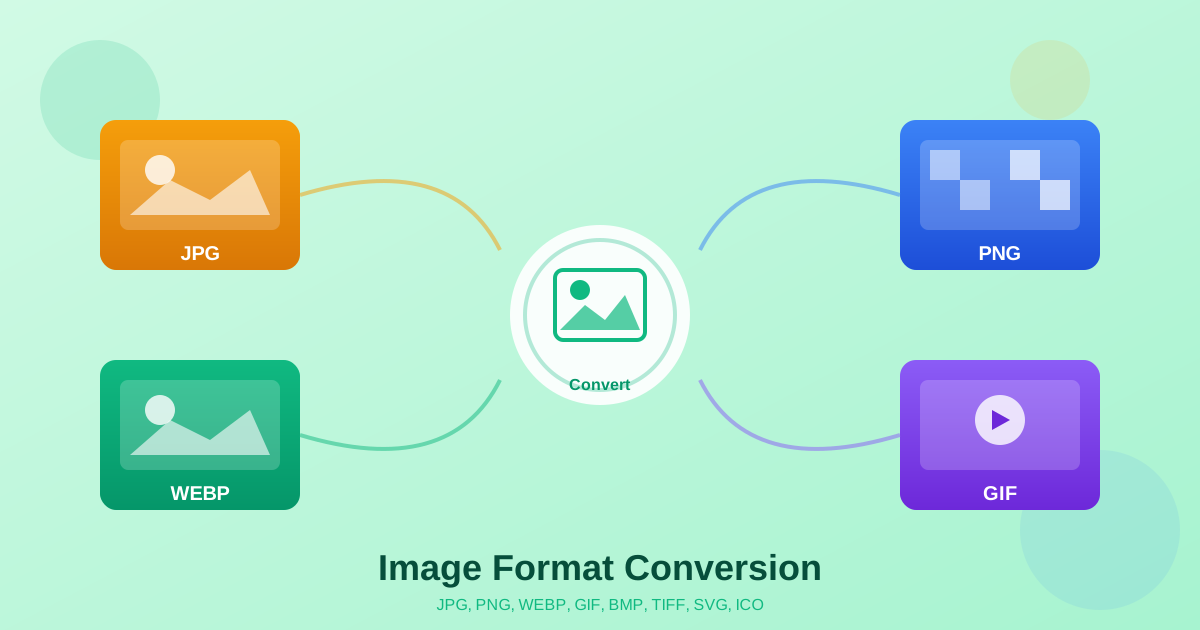
Tradycyjne programy konwertujące wymagają instalacji i aktualizacji. Często ograniczają formaty lub rozmiar pliku. Nasz konwerter działający w przeglądarce funkcjonuje na dowolnym urządzeniu: Windows, Mac, Linux czy urządzenia mobilne. Nie są potrzebne żadne pobrania ani konfiguracja. Konwertuj pliki do JPG, PNG czy dowolnego formatu bezpośrednio z przeglądarki.
Konwersja online oferuje elastyczność, której nie dorówna oprogramowanie desktopowe. Korzystaj z narzędzi z dowolnego komputera. Współpracuj w zespołach korzystających z różnych systemów operacyjnych. Bez konieczności zarządzania licencjami oprogramowania. Pojedyncze dokumenty czy pliki wsadowe — za każdym razem spójne wyniki.
Typowe zastosowania konwersji plików
Profesjonaliści biznesowi przygotowują dokumenty dla różnych odbiorców. Konwertuj Word na PDF dla uniwersalnego przeglądania. Przekształć Excel na PDF, zachowując formuły. Zamień PowerPoint na PDF do dystrybucji. Studenci konwertują między formatami Office, wyodrębniają obrazy z PDF lub łączą dokumenty na potrzeby zadań.
Projektanci eksportują obrazy do PDF na potrzeby portfolio gotowych do druku. Konwertują strony PDF na JPEG lub PNG do użytku internetowego. Przekształcają formaty graficzne dla platform wydawniczych. Konwersja PDF blokuje formatowanie i zapewnia spójny wygląd w różnych aplikacjach.
Zadania administracyjne korzystają z niezawodnej konwersji plików. Digitalizuj dokumenty papierowe, archiwizuj zeskanowane dokumenty, standaryzuj formaty w swojej organizacji. Konwertuj starszy RTF na DOCX. Formatuj pliki zwykłego tekstu. Narzędzia online upraszczają powtarzalne zadania bez specjalistycznej wiedzy.
Obsługiwane formaty i możliwości techniczne
Obsługujemy PDF, Microsoft Office (Word, Excel, PowerPoint), ODT, RTF, TXT, JPEG i PNG. Każda konwersja zachowuje cechy charakterystyczne formatu: tabele w arkuszach, układ slajdów, osadzone czcionki, jakość obrazu. Zarówno proste, jak i złożone przekształcenia zachowują integralność dokumentu.
Zaawansowane funkcje obejmują konwersję wielostronicowych plików PDF oraz przetwarzanie wsadowe. Automatyczna optymalizacja obrazów obsługuje osadzone czcionki i znaki specjalne. Konwersja PDF zachowuje hiperłącza, zakładki i metadane. PDF do Word w razie potrzeby korzysta z OCR, aby dokładnie odczytać tekst.
Najlepsze praktyki konwersji plików
Aby uzyskać najlepsze rezultaty, zacznij od pliku źródłowego najwyższej jakości. Dokumenty ze standardowymi czcionkami i przejrzystym formatowaniem konwertują się dokładniej. Sfinalizuj dokument przed konwersją do PDF. Konwersja z PDF do formatów edytowalnych może wymagać drobnych korekt układu.
Wybierz odpowiedni format dla swoich potrzeb. Używaj PDF do udostępniania i archiwizacji. Używaj DOCX do edycji tekstu. Używaj XLSX do danych i formuł. Używaj JPEG lub PNG do obrazów. Renomowane konwertery nigdy nie proszą o płatność z góry ani nadmierne uprawnienia.
Najczęściej zadawane pytania
Jakie formaty plików mogę konwertować?
Nasz konwerter plików obsługuje PDF, Word (DOC/DOCX), Excel (XLS/XLSX), PowerPoint (PPT/PPTX), obrazy (JPEG, PNG) oraz formaty tekstowe (TXT, RTF, ODT). Możesz konwertować między najpopularniejszymi formatami dokumentów, arkuszy kalkulacyjnych, prezentacji i obrazów.
Czy konwerter plików online jest bezpieczny w użyciu?
Przetwarzanie plików działa na naszych serwerach przez szyfrowane połączenia HTTPS, a przekonwertowane dokumenty są od razu dostępne do pobrania. Co i jak długo przechowujemy, opisuje nasza polityka prywatności.
Czy można konwertować wiele plików naraz?
Obecnie nasze narzędzia do konwersji plików przetwarzają jeden plik na sesję konwersji, aby zapewnić optymalną jakość i szybkość. W przypadku konwersji masowych możesz kolejkować wiele zadań konwersji po kolei.
Dlaczego warto użyć konwertera plików online zamiast programu na komputer?
Narzędzia do konwersji plików online nie wymagają instalacji, działają na dowolnym urządzeniu i systemie operacyjnym oraz są zawsze aktualne. Możesz korzystać z narzędzi konwersji z dowolnego miejsca, bez konieczności zarządzania licencjami oprogramowania czy zmagania się z problemami kompatybilności między różnymi komputerami.
Jaka jest różnica między konwersją na PDF a inne formaty?
Konwersja plików na PDF tworzy dokument o stałym układzie, idealny do udostępniania i archiwizacji – pliki PDF wyglądają identycznie na wszystkich urządzeniach. Konwersja z PDF na edytowalne formaty, takie jak Word czy Excel, pozwala modyfikować treść, ale może wymagać korekty układu w zależności od złożoności dokumentu źródłowego.
Obsługiwane formaty
Przegląd konwersji PDF
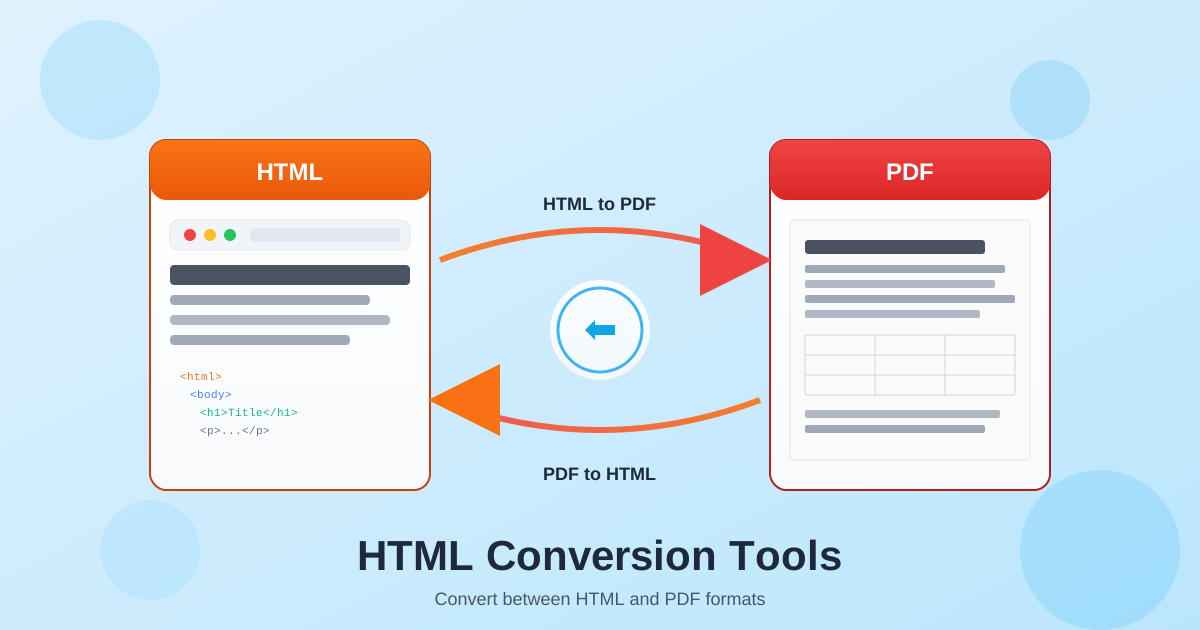
PDF (Portable Document Format) to uniwersalny standard wymiany dokumentów. Konwertuj PDF do Word w celu edycji, do Excel w celu wyodrębnienia danych, do PowerPoint na potrzeby prezentacji lub do obrazów na potrzeby internetu. Nasze narzędzia PDF obsługują zarówno natywne pliki PDF (utworzone z dokumentów cyfrowych), jak i zeskanowane pliki PDF (obrazy papierowych dokumentów).
Konwersja z PDF wymaga różnego podejścia w zależności od źródła. Natywne pliki PDF zawierają osadzony tekst i formatowanie, które można wyodrębnić bezpośrednio. Zeskanowane pliki PDF wymagają OCR (optycznego rozpoznawania znaków), aby przekształcić obrazy tekstu w edytowalne znaki. Wybierz odpowiednie narzędzie w zależności od typu Twojego PDF.
Przegląd konwersji dokumentów biurowych
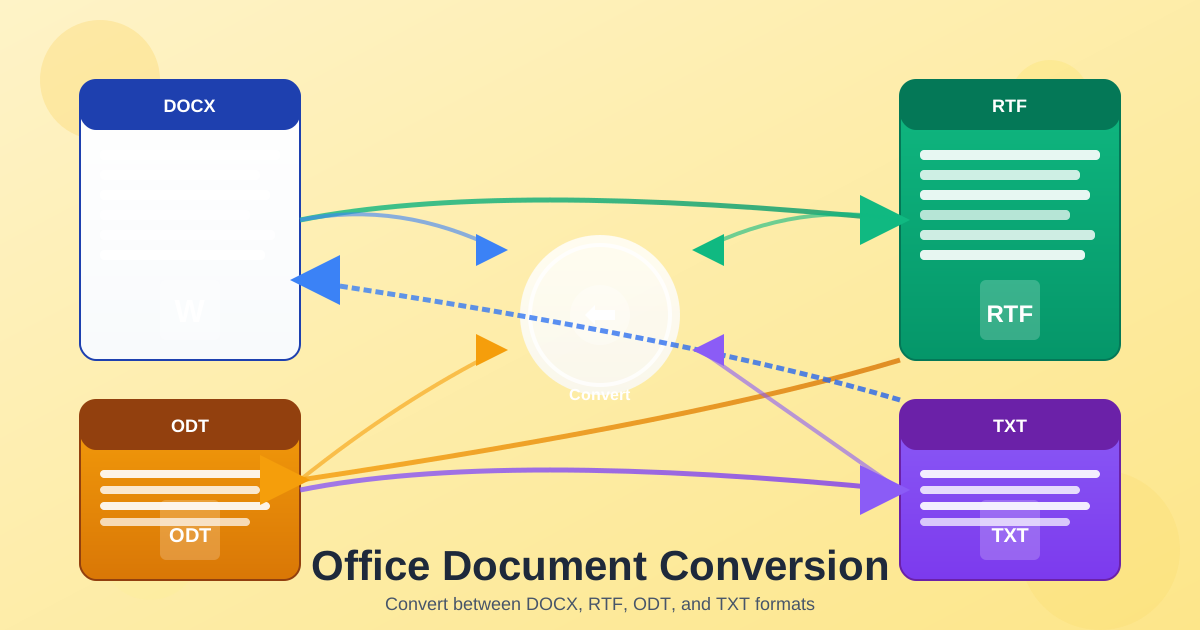
Dokumenty biurowe obejmują Word (DOCX), Excel (XLSX), PowerPoint (PPTX) oraz formaty alternatywne, jak ODT, RTF i TXT. Konwertuj między tymi formatami, by dopasować się do wymagań oprogramowania, zapewnić kompatybilność lub uprościć treść do różnych zastosowań. Konwersje dokumentów biurowych zwykle dobrze zachowują tekst i podstawowe formatowanie.
Konwersja do PDF tworzy dokumenty o stałym układzie, wyglądające identycznie na każdym urządzeniu. Konwersja między formatami edytowalnymi (DOCX do ODT, RTF do DOCX) pozwala na dalszą edycję w różnym oprogramowaniu. Konwersja do czystego tekstu (TXT) usuwa całe formatowanie dla maksymalnej kompatybilności i zastosowań związanych z przetwarzaniem danych.