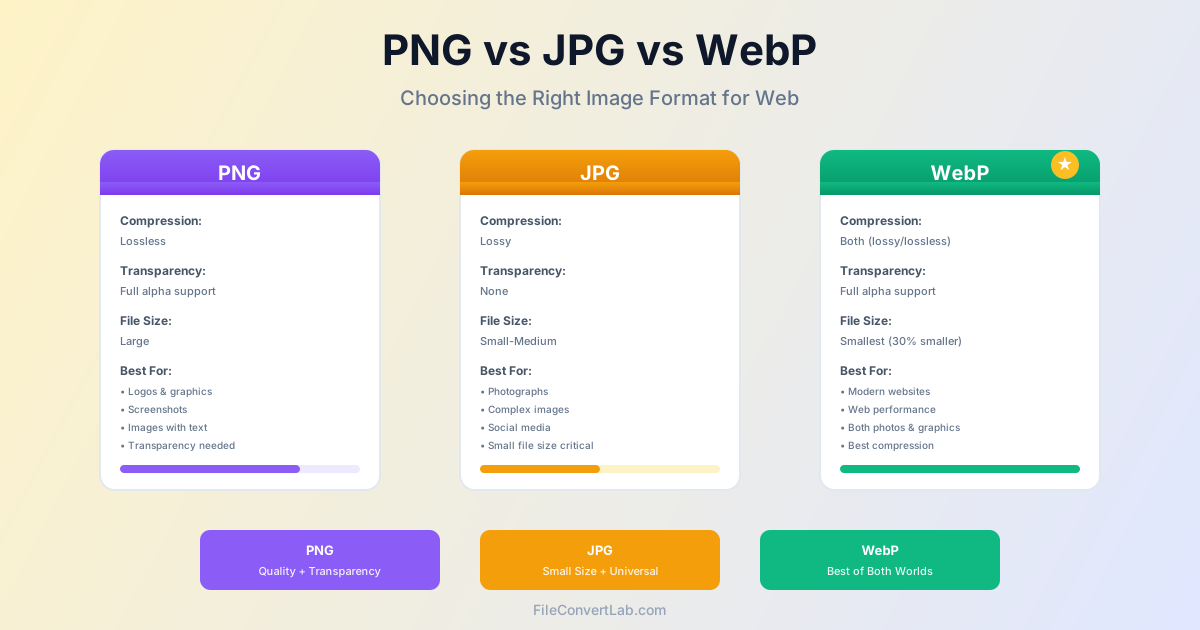
Choosing the right image format affects file size, loading speed, and visual quality. PNG, JPG, and WebP each excel in different scenarios.
Understanding their strengths and limitations helps you pick the optimal format for websites, photography, graphics, and social media.
Quick Comparison
| Feature | PNG | JPG | WebP |
|---|---|---|---|
| Compression | Lossless | Lossy | Both |
| Transparency | ✓ Yes | ✗ No | ✓ Yes |
| Browser Support | 100% | 100% | 95%+ |
| File Size (photo) | Large | Small | Smallest |
| Best For | Logos, graphics | Photos | Modern web |
PNG: Lossless Quality and Transparency
PNG (Portable Network Graphics) was created in the 1990s as an improved replacement for GIF. It uses lossless compression, meaning no image data is lost during compression—what you save is exactly what you get back.
PNG Advantages
- Perfect for graphics with sharp edges, text, and solid colors
- Supports full alpha channel transparency (256 levels)
- Lossless compression preserves exact pixel data
- Universal browser and software support
- No compression artifacts or quality degradation
PNG Disadvantages
- Much larger file sizes for photographs (5-10× vs JPG)
- No native animation support (APNG exists but limited support)
- Slower to load compared to compressed formats
- Not optimal for complex photographic content
When to Use PNG
- Logos and brand graphics
- Screenshots with text
- Graphics with transparency
- Images with sharp edges and solid colors
- Diagrams, charts, and illustrations
- When you need guaranteed compatibility everywhere
JPG: Efficient Photo Compression
JPG (or JPEG) has been the standard for photographic images since the early 1990s. It uses lossy compression optimized for photographic content, achieving dramatic file size reduction with minimal visible quality loss.
JPG Advantages
- Excellent for photographs and complex images
- Small file sizes (5-10× smaller than PNG for photos)
- Adjustable quality settings (10-100% compression)
- Universal support across all platforms and devices
- Fast loading times due to small file sizes
JPG Disadvantages
- Lossy compression permanently discards image data
- No transparency support (alpha channel)
- Compression artifacts on text, sharp edges, solid colors
- Quality degrades with repeated edits and saves
- Not suitable for images requiring exact pixel reproduction
When to Use JPG
- Digital photographs and camera images
- Social media uploads (Facebook, Instagram, etc.)
- Website hero images and photo galleries
- Email attachments where file size matters
- Any image where small file size is priority
- Complex images with many colors and gradients
WebP: Modern Efficient Format
WebP was developed by Google in 2010 to replace both PNG and JPG with a more efficient format. It supports both lossy and lossless compression, transparency, and animation—combining the best features of PNG and JPG in a single format.
WebP Advantages
- 25-35% smaller files than JPG/PNG at equivalent quality
- Supports both lossy and lossless compression
- Full alpha channel transparency like PNG
- Animation support (alternative to GIF)
- Best compression efficiency of all three formats
- Ideal for performance-focused web applications
WebP Disadvantages
- Not supported in Internet Explorer or older Safari
- Some image editing software lacks WebP support
- Requires fallback images for older browsers
- Email clients may not display WebP images
- Less established for long-term archival purposes
When to Use WebP
- Modern websites targeting current browsers
- Progressive web applications (PWAs)
- Mobile-first applications where bandwidth matters
- Image-heavy websites requiring fast loading
- When paired with PNG/JPG fallbacks for compatibility
- Any project prioritizing performance over universal support
Choosing the Right Format
Use this decision tree to pick the optimal format:
For Websites (2026)
- Serve WebP to modern browsers with JPG/PNG fallbacks
- Use WebP (lossy) for photos, WebP (lossless) for graphics
- Fallback to JPG for photos, PNG for graphics/logos
For Photographs
- First choice: WebP lossy (smallest files, excellent quality)
- Universal fallback: JPG at 85-95% quality
- Never use: PNG (files will be unnecessarily huge)
For Graphics and Logos
- Need transparency: PNG or WebP lossless
- No transparency needed: PNG or WebP lossless
- Avoid: JPG (creates artifacts on sharp edges)
For Social Media
- Photos: JPG (platforms re-compress anyway)
- Graphics without transparency: PNG or JPG
- Graphics with transparency: PNG (most platforms support)
File Size Comparison
For a typical photograph (1920×1080):
- PNG: 4-6 MB (lossless)
- JPG (90% quality): 400-600 KB
- WebP (lossy, equivalent to JPG 90%): 280-420 KB
- WebP (lossless, equivalent to PNG): 2-3 MB WebP achieves 25-35% better compression than JPG/PNG while maintaining equivalent visual quality.
Converting Between Formats
Use our converters for format conversion:
- PNG to JPG — Reduce file size for photos
- JPG to PNG — Enable transparency support
- WebP to PNG — Maximum compatibility
Related articles
- HEIC to JPG: Convert iPhone Photos — Guide for converting Apple HEIC format to universal JPG
- SVG to PNG: Convert Vector Graphics to Raster — When and how to convert SVG vector graphics to PNG
- PNG to JPG: Reduce Image File Size Guide — Step-by-step guide for PNG to JPG conversion
Conclusion
In 2026, the ideal strategy is using WebP for modern browsers with JPG/PNG fallbacks for older ones. WebP offers the best compression efficiency, supporting both lossy (for photos) and lossless (for graphics) compression along with transparency.
For maximum compatibility without WebP: use JPG for photographs (small files, excellent quality) and PNG for graphics, logos, and anything requiring transparency (larger files, perfect quality). Understanding each format's strengths ensures you choose the right format for every use case.