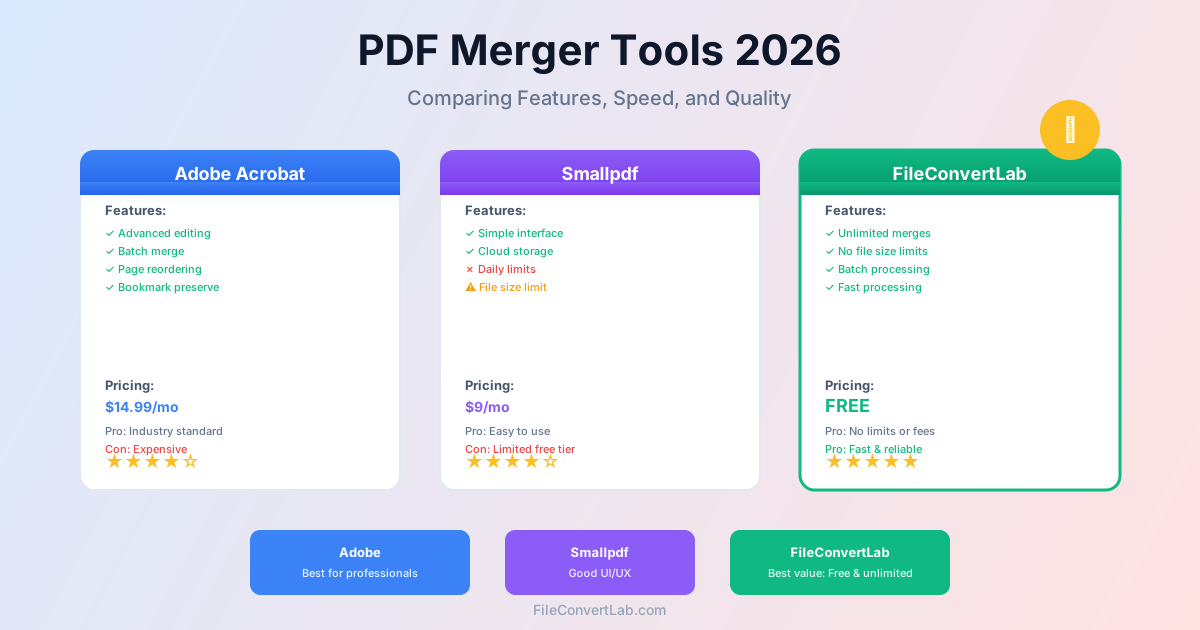
Most "PDF merger comparison" articles rank their own tool first and describe competitors as vague categories. This one names names — and says where each fact comes from. Short answer: PDFsam Basic is the best free desktop merger, PDF24 the most generous free online one, and Adobe Acrobat the most complete paid suite. Every limit and price below was read from the vendor's own merge and pricing pages on 25 September 2026; plans change, so check the page before you pay.
Quick Verdict: Best PDF Merger for Each Use Case
| Use Case | Best Pick | Why |
|---|---|---|
| Best free desktop merger | PDFsam Basic | Open source, offline, no watermarks, no limits |
| Best free online merger | PDF24 | Advertises "no limits", ad-supported |
| Best for enterprise | Adobe Acrobat Pro | Full PDF editing suite, industry standard |
| Big uploads on a free plan | CloudConvert | 1 GB per file on the free tier |
| Cleanest UI | Smallpdf | Polished design, but a daily download limit on the free plan |
The PDF Mergers We Compared
Smallpdf
Smallpdf has one of the best-designed interfaces in the category: drag-and-drop works smoothly and reordering files feels natural. The catch is the free plan. Smallpdf's pricing page lists a daily download limit for Merge on the free plan (without giving the number); Pro removes it.
- Free plan: Merge with a daily download limit
- Pro: all tools without the daily limit, 7-day free trial
- Price: Pro at CHF 10/month billed yearly (CHF 120/year) on the Swiss pricing page; prices vary by region
- Registration: not needed to try the free tools
iLovePDF
iLovePDF is popular and feature-rich. Its pricing page describes the free Basic plan as "limited document processing", with batch processing and file size per task marked "Limited" — it doesn't publish the exact numbers. Premium removes those limits and adds desktop and mobile apps.
- Free plan: limited batch size and file size per task (numbers not published)
- Premium: no processing limits, web + desktop + mobile, no ads
- Price: Premium from €5/month billed yearly (€60/year)
- Registration: not needed for the free web tools
Adobe Acrobat
Adobe invented PDF, and Acrobat Pro remains the most capable PDF tool overall. The online merge tool is free: Adobe's page says no watermark, no software install and no subscription. Organizing individual pages after the merge needs you to sign in, and the full desktop Acrobat Pro is a paid subscription.
Where Adobe excels is the desktop application: bookmark handling, page-level editing, and deep integration with other Adobe products. If your organization already pays for Acrobat Pro, its merge tool is excellent. If you just need to combine a few PDFs, it's overkill.
- Online merge: free, no watermark; sign in to organize pages or share a link
- Desktop: Acrobat Pro, paid subscription
- Price: see Adobe's pricing page for your region
PDF24
PDF24's merge page calls the tool "100% free thanks to advertising" and promises "no limits". The trade-off is ads and a more utilitarian design. PDF24 also offers PDF24 Creator, a free desktop app for Windows that works offline. For anyone searching for "pdf merge freeware", PDF24 is genuinely hard to beat as a zero-cost option.
- Limits: none advertised
- Registration: not required
- Desktop: PDF24 Creator (Windows)
- Price: free, ad-supported
Sejda
Sejda sits in the middle. Its merge page states the free service covers documents up to 50 pages or 50 MB and 3 tasks per hour. Paid plans lift those limits (up to 500 MB per file). Sejda's strength is control: you can combine PDFs and images, drag files into order, sort them A–Z, and add a blank page after files with an odd page count for double-sided printing.
- Free plan: up to 50 pages or 50 MB, 3 tasks per hour
- Paid: no page or hourly limits, uploads up to 500 MB per file
- Price: Web Week Pass €5.50, Web Monthly €8.50/month, Desktop+Web Annual €71/year
- Desktop: Sejda Desktop processes files locally
CloudConvert
CloudConvert is a developer-friendly conversion platform. Its pricing page lists a free tier of 10 conversion credits per day, files up to 1 GB, up to 5 minutes of processing per task, and 5 concurrent tasks. Paid packages and subscriptions remove the file size cap. CloudConvert's real strength is its API and ISO 27001 certification — if you're building PDF merging into an automated workflow, it's a strong option.
- Free tier: 10 credits/day, 1 GB max file size
- Price: one-off credit packages or monthly subscriptions, priced by volume
FileConvertLab
Our own tool. The PDF merger takes several PDFs, lets you drag them into order, and doesn't require registration. Each file can be up to 100 MB as a guest or on a free account, 500 MB on Premium and 1 GB on Premium Plus. A merge costs 1 credit from the daily allowance: guests get 50 credits a day, registered free accounts 200.
Where it falls short compared to PDF24: the file size cap on free use and the daily credit cap. Compared to Adobe: no desktop app and no bookmark options. Rotating, reordering and deleting pages are separate tools (for example rotate and reorder PDF pages) rather than part of the merge screen. It's a solid middle-ground option for occasional to moderate use.
- File size limit: 100 MB per file free, up to 1 GB on Premium Plus
- Daily limit: 50 merges/day as a guest, 200 on a free account
- Batch: several files per merge
- Registration: not required for basic use
- Price: freemium, credit-based — see plans and limits
Full PDF Merger Comparison Table
Free-tier limits as published by each vendor, 25 September 2026:
| Tool | Free file limit | Free usage limit | Registration | Paid from |
|---|---|---|---|---|
| Smallpdf | Not published | Daily download limit | No | CHF 10/mo (yearly, Swiss page) |
| iLovePDF | "Limited" | "Limited" | No | €5/mo (yearly) |
| Adobe Acrobat online | Not published | None stated | Sign in to organize pages | Acrobat Pro subscription |
| PDF24 | None advertised | None advertised | No | Free (ads) |
| Sejda | 50 pages or 50 MB | 3 tasks/hour | No | €5.50/week |
| CloudConvert | 1 GB | 10 credits/day | Sign-up for the free tier | Credit packages |
| FileConvertLab | 100 MB | 50 merges/day (guest) | No | Premium plans |
Best Free PDF Merge Options (Freeware)
If you're looking for PDF merge freeware — tools that are genuinely free without crippling restrictions — here are the honest options:
PDFsam Basic (Desktop, Open-Source)
PDFsam Basic is open source, runs on Windows, macOS and Linux, and its site promises no watermarks, no limits and no file uploads — everything happens on your computer. It can also merge bookmarks and interactive forms. The interface is dated but functional.
If you merge PDFs regularly and want a tool that just works without limitations, PDFsam Basic is the answer. PDFsam also sells paid editions (Visual and Enhanced) with visual page organizing and full editing, but Basic does merging, splitting, rotating and extracting for free.
PDF24 (Online + Desktop)
As noted above, PDF24 is ad-supported but free with no advertised limits. Its Windows desktop app, PDF24 Creator, works offline. The combination of web and desktop availability makes it the best free online option for most people. The trade-off is the ad-heavy interface.
Why Most "Free" Tools Aren't Really Free
Many online PDF mergers advertise as free but set limits designed to push you toward a subscription: a daily download cap at Smallpdf, three tasks an hour at Sejda, unpublished "limited" batch and file sizes at iLovePDF. When comparing, look at what the free tier actually lets you do, not just whether the word "free" appears on the homepage.
Desktop Software vs Online Tools
The choice between desktop and online isn't just about convenience — it affects what you can actually do:
When Desktop Is Better
- Large files: online tools cap uploads or take a long time to upload them; desktop processes locally.
- Sensitive documents: legal contracts, medical records, financial reports — with desktop software nothing leaves your computer.
- High volume: if you merge dozens of PDFs daily, desktop tools with automation (Adobe's Action Wizard, PDFsam's batch features) save significant time.
- Advanced features: bookmark merging, page-level editing and PDF/A compliance are mostly desktop features.
When Online Is Better
- One-off merges: installing software to merge three PDFs once is overkill. Open a browser, upload, done.
- Shared or locked-down computers: you can't install software on a library PC or a managed work machine.
- Cross-platform: online tools work the same on Windows, Mac, Linux, Chromebook and phones.
- No maintenance: no updates to install, no disk space used.
What to Actually Check Before Choosing
Skip the marketing pages and test with your actual files. Here's what matters in practice:
- Upload your largest file first. If it gets rejected, everything else is irrelevant.
- Check the daily or hourly cap. Merge a few test files and see if you hit a wall. Some tools don't show the limit until you reach it.
- Open the merged result in a different PDF reader. Some tools produce files that look fine in Chrome but break in Adobe Reader (or vice versa).
- Check hyperlinks and bookmarks. If your PDFs contain internal links or a table of contents, verify they survived the merge.
- Try the batch workflow. If you need to merge 20+ files, test that flow specifically — many tools that work fine with 3 files choke on 20.
Related Guides
- How to merge PDF files — step-by-step instructions for merging
- How to compress PDFs — reduce file sizes after merging
- PDF merge tool — combine your PDFs with FileConvertLab
Bottom Line
There is no single "best" PDF merger — it depends on what you need. For free desktop merging, PDFsam Basic is unbeatable. For free online merging, PDF24 wins. For the most polished interface, Smallpdf leads (but expect to pay for Pro if you use it daily). For enterprise needs, Adobe Acrobat Pro remains the standard.
FileConvertLab fits somewhere in the middle: clean interface, a daily allowance that covers occasional use, no registration required, but not the most powerful option for heavy professional workflows. For a quick merge of a few PDFs under 100 MB each, our PDF merger does the job — try it and judge for yourself.