When converting audio files to MP3, one of the most important decisions you'll make is choosing the bitrate. Audio bitrate determines both the sound quality and file size of your MP3 files. Understanding the differences between 128 kbps, 256 kbps, and 320 kbps helps you choose the right setting for your music library.
What is Audio Bitrate?
Bitrate is the amount of data used to represent one second of audio, measured in kilobits per second (kbps). Higher bitrates preserve more of the original audio information. This results in better sound quality but larger file sizes.
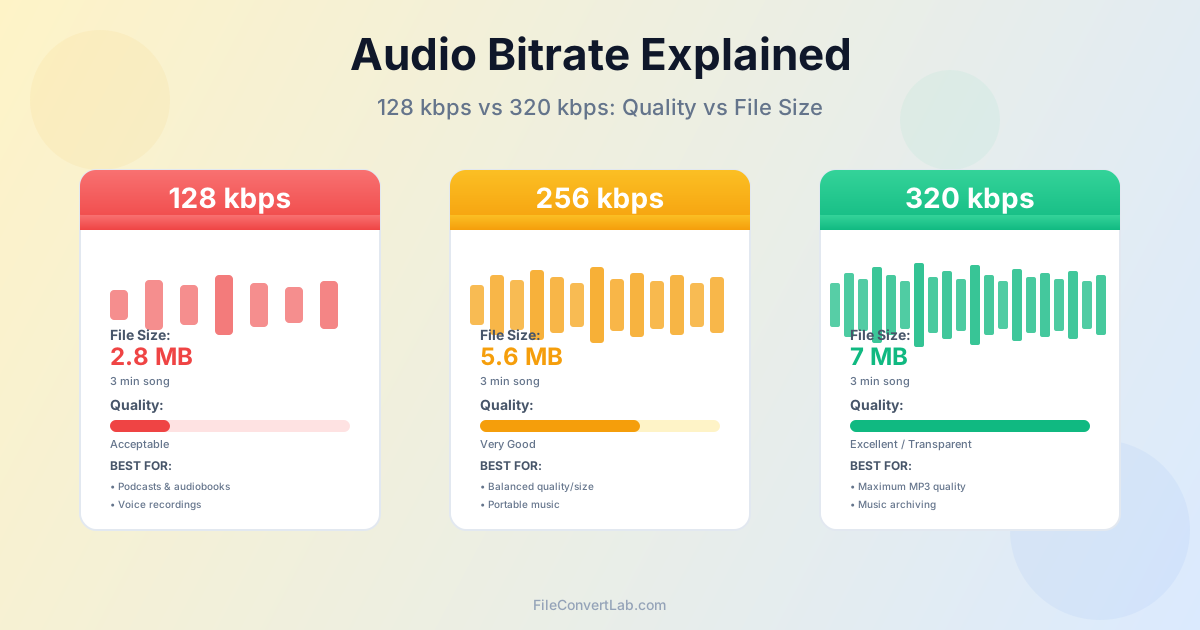
For example, a 3-minute song at different bitrates:
- 128 kbps: Approximately 2.8 MB
- 256 kbps: Approximately 5.6 MB
- 320 kbps: Approximately 7 MB MP3 uses lossy compression — it permanently discards some audio data to reduce file size. The bitrate determines how much data is kept versus discarded. Lower bitrates discard more information, which affects sound quality.
128 kbps: When to Use Low Bitrate
128 kbps was the standard for MP3 files in the early 2000s when storage was expensive and connections were slow. Today, it's generally considered too low for music but remains acceptable for specific use cases.
Sound Quality at 128 kbps
At 128 kbps, compression artifacts become noticeable to most listeners:
- Muffled or dull high frequencies (cymbals, strings lose sparkle)
- Reduced stereo imaging and sense of space
- Loss of subtle details and nuances in complex music
- Audible "swirling" or "underwater" artifacts in quiet sections
Best Uses for 128 kbps
- Podcasts and audiobooks — Voice content doesn't require high fidelity
- Voice recordings — Meetings, interviews, lectures
- Very old devices — Ancient MP3 players with limited storage
- Extreme storage constraints — When you absolutely must fit hundreds of songs in minimal space For music in 2026, 128 kbps is not recommended unless storage is severely limited. Most listeners will notice the quality loss.
256 kbps: The Balanced Choice
256 kbps offers excellent sound quality that satisfies most listeners while keeping file sizes reasonable. It has become the de facto standard for premium streaming services and personal music libraries.
Sound Quality at 256 kbps
At 256 kbps, most listeners cannot reliably distinguish MP3 from lossless sources in blind tests:
- Clear, detailed high frequencies
- Good stereo separation and soundstage
- Minimal compression artifacts on most music
- Transparent for casual and intermediate listening
Best Uses for 256 kbps
- Portable music libraries — Smartphones, tablets with moderate storage
- Streaming services — Apple Music uses 256 kbps AAC as standard
- Car audio — Road noise makes higher bitrates unnecessary
- Casual listening — Consumer headphones, background music
- Balance of quality and size — When storage matters but quality is important 256 kbps is an excellent choice for most users. Files are 20% smaller than 320 kbps. The quality difference is imperceptible in normal listening conditions.
320 kbps: Maximum MP3 Quality
320 kbps is the highest quality setting available for MP3 files. It is considered "transparent" — expert listeners cannot reliably tell it apart from lossless sources in controlled blind tests.
Sound Quality at 320 kbps
At 320 kbps, MP3 encoding preserves maximum detail:
- Full frequency range reproduction
- Excellent stereo imaging and depth
- Preserves subtle details and micro-dynamics
- Virtually indistinguishable from CD quality for most listeners
- No perceptible compression artifacts with quality equipment
Best Uses for 320 kbps
- Archiving music collections — Highest MP3 quality for preservation
- Critical listening — High-end headphones or speakers
- Music production reference — When you need maximum detail
- Audiophile libraries — When storage isn't a concern
- Professional use — DJs, radio stations, studios Use 320 kbps when you want the best possible MP3 quality and have adequate storage. For truly lossless archiving, consider FLAC instead of MP3 — it preserves the full original quality.
Bitrate Comparison Table
| Bitrate | File Size (3 min) | Quality | Best For |
|---|---|---|---|
| 128 kbps | ~2.8 MB | Acceptable | Podcasts, audiobooks |
| 192 kbps | ~4.2 MB | Good | Casual listening |
| 256 kbps | ~5.6 MB | Very Good | Most music, streaming |
| 320 kbps | ~7 MB | Excellent | Archiving, critical listening |
How to Choose the Right Bitrate
Consider these factors when selecting a bitrate:
Storage Capacity
Calculate how much music you want to store:
- 64 GB phone at 128 kbps: ~15,000 songs
- 64 GB phone at 256 kbps: ~7,500 songs
- 64 GB phone at 320 kbps: ~6,000 songs For devices with limited storage, 256 kbps offers the best quality-to-size ratio.
Listening Equipment
- Budget earbuds or laptop speakers: 192-256 kbps is sufficient
- Good consumer headphones: 256 kbps recommended
- Premium headphones or speakers: 320 kbps to hear the difference
- Audiophile equipment: Consider lossless (FLAC) instead of MP3
Listening Environment
- Noisy environments (gym, commute, office): 192-256 kbps adequate
- Car audio: 256 kbps (road noise masks higher quality)
- Home quiet listening: 320 kbps to appreciate the quality
- Critical listening sessions: 320 kbps or lossless
Common Mistakes to Avoid
- Up-converting low bitrate files: Converting 128 kbps to 320 kbps doesn't improve quality, it just creates larger files with the same poor quality
- Multiple conversions: Each conversion from MP3 to MP3 reduces quality (generational loss). Always convert from lossless sources
- Using 128 kbps for music: In 2026, storage is cheap enough that 256 kbps should be the minimum for music
- Not keeping lossless backups: Always maintain FLAC or WAV originals for future conversions
Converting to the Right Bitrate
When converting audio files, use our FLAC to MP3 converter or WAV to MP3 converter with these recommended settings:
- For music archiving: 320 kbps
- For most music use: 256 kbps
- For podcasts/audiobooks: 128-192 kbps
- For voice recordings: 96-128 kbps See our batch audio conversion guide to convert entire music libraries efficiently with consistent bitrate settings.
Conclusion
Audio bitrate directly impacts both sound quality and file size. For most users in 2026, 256 kbps offers the best balance — excellent quality that is transparent to most listeners. Use 320 kbps for archiving or critical listening. Reserve 128 kbps for podcasts and voice content where file size matters more than fidelity.
Remember: you can always convert from higher to lower bitrates, but converting from lower to higher never improves quality. Always maintain lossless originals (FLAC, WAV) as your master library. Create compressed MP3 versions at appropriate bitrates for different uses.