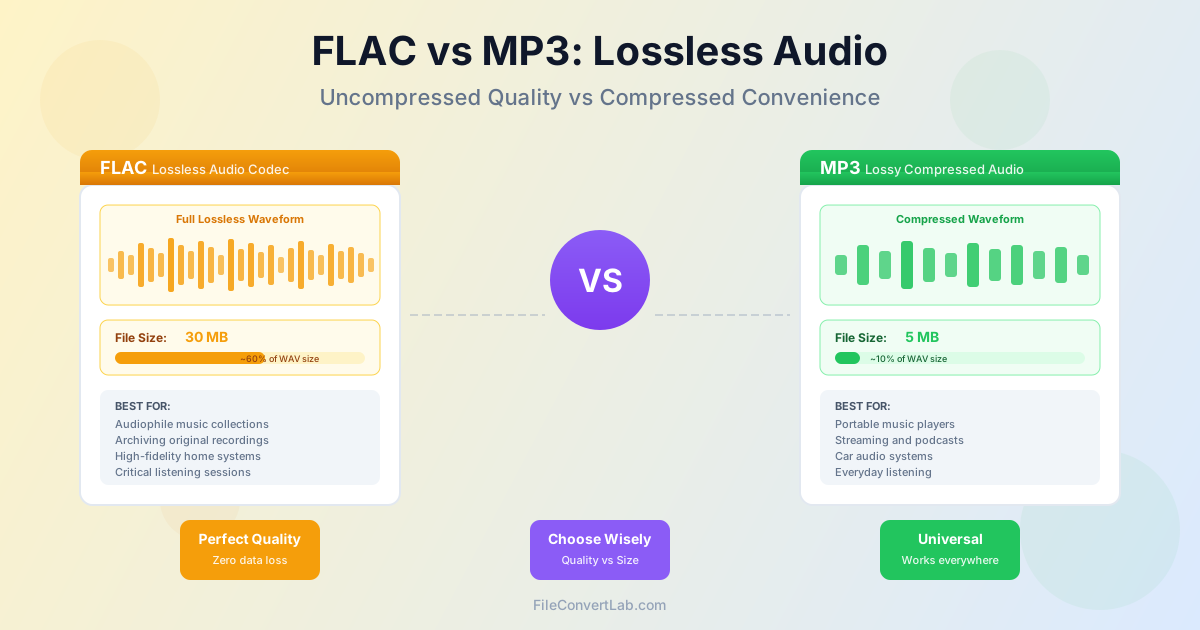
Choosing between FLAC and MP3 for your music collection comes down to a fundamental trade-off: perfect audio quality versus file size and compatibility. FLAC (Free Lossless Audio Codec) preserves every bit of audio data from the original recording, while MP3 uses lossy compression to create much smaller files at the cost of some audio information. This guide explains the technical differences, practical implications, and when to use each format.
What is FLAC? Understanding Lossless Compression
FLAC is a lossless audio compression format, meaning it reduces file size without discarding any audio data. Think of it like a ZIP file for audio—when you decompress it, you get back exactly what was put in.
A CD-quality FLAC file (16-bit, 44.1 kHz) typically achieves 50-60% compression compared to uncompressed WAV files. A 50 MB WAV file becomes approximately 25-30 MB as FLAC, while retaining 100% of the original quality. This makes FLAC ideal for archiving music collections where you want to preserve the original recording without compromise.
FLAC also supports high-resolution audio beyond CD quality, including 24-bit depth and sampling rates up to 192 kHz. Audiophiles and music professionals value this capability for preserving studio-quality recordings. The format is open-source and royalty-free, which has led to widespread adoption in the audiophile community.
What is MP3? Understanding Lossy Compression
MP3 uses psychoacoustic modeling to permanently remove audio information that humans theoretically cannot hear. This lossy compression achieves dramatic file size reduction—a 50 MB WAV file becomes just 5 MB as a 320 kbps MP3, a 90% reduction.
The quality of an MP3 file depends on its bitrate (measured in kbps):
- 128 kbps — Acceptable for voice/podcasts, noticeable quality loss for music
- 192 kbps — Good quality for casual listening, some artifacts on high-quality equipment
- 256 kbps — Very good quality, difficult to distinguish from original for most listeners
- 320 kbps — Highest MP3 quality, considered "transparent" (indistinguishable from original) for most people
MP3's universal compatibility is its greatest strength. Virtually every device made in the past two decades supports MP3 playback, from smartphones to car stereos to smart speakers. This makes it the most practical format for portable music collections.
Quality Comparison: Can You Hear the Difference?
The audible difference between FLAC and high-quality MP3 (320 kbps) depends on several factors: your hearing ability, playback equipment, the type of music, and listening environment.
When you might notice the difference:
- Using high-end headphones or studio monitors that reveal subtle details
- Listening to music with complex arrangements, wide dynamic range, or many high-frequency elements (classical, jazz, electronic)
- Critical listening in quiet environments where you're focused on audio quality
- Repeated listening to the same track where you become familiar with compression artifacts
When you probably won't notice:
- Listening on consumer headphones, earbuds, or built-in speakers
- Background music while working, exercising, or commuting
- Noisy environments like cars, public transport, or offices
- Streaming over Bluetooth (which applies additional compression) Scientific blind listening tests consistently show that most listeners cannot reliably distinguish between FLAC and 320 kbps MP3 in controlled conditions. However, knowing your files are lossless provides peace of mind for archival purposes, even if you don't actively hear the difference.
File Size and Storage Requirements
Storage requirements differ dramatically between FLAC and MP3. Here's a practical comparison for a typical music collection:
| Collection Size | FLAC Storage | MP3 320 kbps | Difference |
|---|---|---|---|
| 100 songs | 3-4 GB | 500-700 MB | 6x larger |
| 500 songs | 15-20 GB | 2.5-3.5 GB | 6x larger |
| 1000 songs | 30-40 GB | 5-7 GB | 6x larger |
| 5000 songs | 150-200 GB | 25-35 GB | 6x larger |
| For smartphone users with limited storage (64-128 GB), MP3 makes more practical sense. A 128 GB iPhone can store approximately 3000-4000 high-quality MP3s but only 500-700 FLAC files. For home libraries with external hard drives or network storage, FLAC is more feasible. |
Device Compatibility and Playback Support
MP3 compatibility: Universal. Every modern device supports MP3 playback, including iPhones, Android phones, Windows PCs, Macs, Linux systems, car stereos, smart TVs, game consoles, and smart speakers. MP3 has been the standard for over 25 years.
FLAC compatibility: Growing but not universal. Supported by:
- Yes: Android phones (native support), Windows 10/11 (native), most Linux distributions, dedicated audio players (Fiio, Astell&Kern, Sony Walkman), VLC media player
- No (requires third-party apps): iPhones and iPads (need apps like VOX or Flacbox), older car stereos, some smart speakers
If you primarily use Apple devices or want guaranteed compatibility everywhere, MP3 is the safer choice. If you use Android or dedicated audio equipment, FLAC is well-supported.
When to Use FLAC
Choose FLAC when quality preservation is the priority:
- Archiving your music collection — FLAC serves as a master copy you can convert to any format later without additional quality loss
- Critical listening sessions — When you're focused on audio quality with high-end equipment in a quiet environment
- Music production and editing — Professionals need lossless files to avoid generational loss when editing or remixing
- Ripping CD collections — Preserve the full CD quality for future-proofing your library
- High-resolution audio — FLAC supports 24-bit/96kHz and higher, which MP3 cannot
- Home audio systems — When storage space isn't limited and you have compatible playback equipment
A common strategy is to maintain a FLAC library at home on network storage or external drives, then convert to MP3 for portable devices as needed. This gives you the best of both worlds.
When to Use MP3
Choose MP3 when practicality and compatibility matter more:
- Portable devices — Smartphones, MP3 players, and tablets benefit from smaller file sizes
- Car audio systems — Most car stereos support MP3 but not FLAC, and road noise masks quality differences
- Bluetooth streaming — Bluetooth already compresses audio, so FLAC's lossless quality is partially wasted
- Sharing and emailing — Smaller MP3 files are easier to send and more likely to play on the recipient's device
- Background listening — For casual listening while working, exercising, or commuting, MP3 is perfectly adequate
- Storage limitations — When you have limited storage space and want a large music collection
- Apple device users — Native support on all iOS devices without third-party apps
For most listeners in most situations, 320 kbps MP3 provides excellent quality that's indistinguishable from lossless. The convenience and compatibility often outweigh the theoretical quality advantage of FLAC.
Converting Between FLAC and MP3
Converting from FLAC to MP3 is a one-way process that reduces quality.
You cannot convert MP3 back to FLAC and recover the lost data—converting MP3 to FLAC just creates a larger file with the same lossy quality.
Best practices for FLAC to MP3 conversion:
- Use 320 kbps for maximum quality (transparent for most listeners)
- Consider 256 kbps as a good balance between quality and file size
- Avoid going below 192 kbps for music (acceptable for podcasts/audiobooks)
- Keep your FLAC originals as a master library for future conversions
- Use our FLAC to MP3 converter to convert with optimal quality settings
Never convert from MP3 to FLAC thinking you'll improve quality. The result will be a bloated file with the same lossy quality as the original MP3. Always convert from lossless sources (FLAC, WAV, ALAC) when creating MP3 files.
Alternative Formats to Consider
While FLAC and MP3 are the most common, other formats might suit specific needs:
- ALAC (Apple Lossless) — Lossless like FLAC but with native iOS/macOS support. Choose this if you're in the Apple ecosystem
- AAC — More efficient lossy compression than MP3. 256 kbps AAC sounds similar to 320 kbps MP3 but in a smaller file
- Ogg Vorbis — Open-source lossy format with better quality than MP3 at the same bitrate, but less compatible
- WAV — Uncompressed lossless (10x larger than FLAC) for professional audio work
For more details on audio format options, see our MP3 vs WAV comparison and FLAC to MP3 conversion guide .
Recommended Strategy: Hybrid Approach
For most music enthusiasts, a hybrid approach offers the best balance:
- Master archive in FLAC — Store your complete music collection in FLAC on network storage, external hard drives, or cloud backup. This preserves maximum quality for the future.
- Portable library in MP3 — Convert to 320 kbps MP3 for smartphones, tablets, and car audio. Update this library as needed from your FLAC masters.
- Critical listening in FLAC — Keep favorite albums or high-resolution purchases in FLAC for home listening with quality equipment.
- Streaming for discovery — Use streaming services for exploring new music, then purchase and rip to FLAC for albums you want to own permanently.
This approach ensures you never lose quality through multiple conversions, while still enjoying the convenience of smaller files on portable devices. As storage becomes cheaper and devices gain more FLAC support, you can gradually transition more of your library to lossless.
Conclusion
The choice between FLAC and MP3 depends on your priorities. FLAC offers perfect quality preservation and future-proofing at the cost of larger file sizes and limited device compatibility. MP3 provides excellent practical quality, universal compatibility, and efficient storage, though with irreversible data loss.
For most listeners, high-quality MP3 (320 kbps) is indistinguishable from lossless in everyday listening conditions. However, maintaining FLAC archives makes sense if you have storage space and want to preserve maximum quality for future format conversions or critical listening.
Consider using both: FLAC for your home archive and critical listening, MP3 for portable devices and everyday use. This hybrid approach gives you the quality preservation of lossless audio while enjoying the convenience and compatibility of compressed files where they matter most.