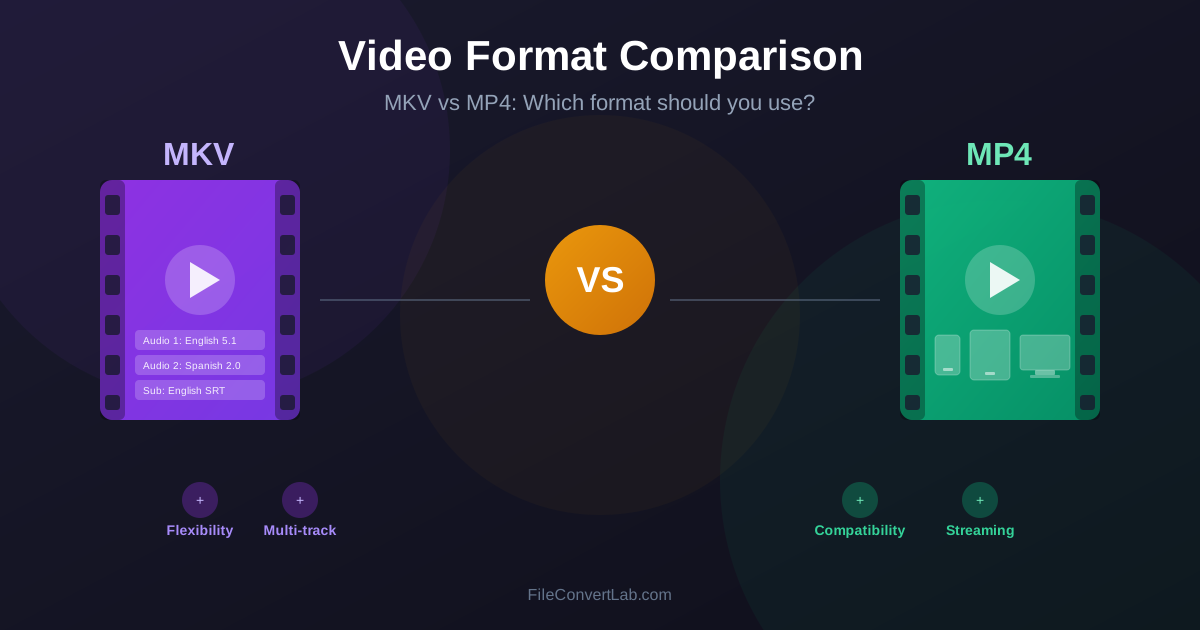
Choosing between MKV and MP4 is one of the most common decisions when working with video files.
Both formats can deliver excellent quality, but they serve different purposes and have distinct strengths. This guide explains the technical differences, compatibility considerations, and practical use cases for each format to help you make the right choice for your videos.
Quick comparison table
| Feature | MKV (Matroska) | MP4 (MPEG-4) |
|---|---|---|
| Full name | Matroska Video | MPEG-4 Part 14 |
| File extension | .mkv | .mp4, .m4v |
| Codec support | Virtually unlimited | H.264, H.265, AAC, MP3 |
| Device compatibility | Limited (PCs, smart TVs) | Excellent (all devices) |
| Streaming support | Basic | Excellent |
| Multiple audio tracks | Unlimited | Limited |
| Subtitle support | Excellent (embedded SRT, ASS) | Basic |
| Chapter markers | Full support | Limited |
| Best for | Movie collections, archiving | Sharing, streaming, devices |
Understanding containers vs codecs
Before comparing MKV and MP4, it is important to understand the difference between a container and a codec. Many people confuse these terms, but they serve very different purposes in video files.
A codec (coder-decoder) is the algorithm that compresses and decompresses video and audio data. Common video codecs include H.264, H.265 (HEVC), VP9, and AV1. Audio codecs include AAC, MP3, AC3, and FLAC. The codec determines the actual quality and file size of your video content.
A container (also called a wrapper or format) is the file format that packages the video stream, audio stream(s), subtitles, and metadata together. MKV and MP4 are both containers.
Think of a container like a shipping box: it holds everything together but does not affect the quality of what is inside.
This means you can have an MKV file and an MP4 file with identical video quality if they use the same codec (like H.264) with the same settings. The container itself does not determine quality; the codec does. The difference lies in what additional features each container supports.
What is MKV (Matroska)?
MKV, or Matroska Video, is an open-source container format developed in 2002. Named after Russian nesting dolls (matryoshka), it was designed to be a flexible, universal container that could hold almost any type of media content. The Matroska project aimed to create a format that would remain relevant as new codecs and technologies emerged.
The key philosophy behind MKV is maximum flexibility. Unlike formats tied to specific standards, MKV can contain virtually any video or audio codec, multiple subtitle tracks in various formats, chapter markers, metadata, and even attachments like fonts or cover art. This makes MKV the preferred format for movie enthusiasts and digital archivists.
MKV strengths
- Unlimited codec support — Works with H.264, H.265, VP9, AV1, and legacy codecs.
- Multiple audio tracks — Include original language, dubs, and director commentary.
- Advanced subtitles — Supports SRT, ASS/SSA with styling, and picture-based formats.
- Chapter support — Navigate movies by scene like a DVD or Blu-ray.
- Lossless audio — Supports FLAC, DTS-HD, and Dolby TrueHD without transcoding.
- Error resilience — Designed to recover from file corruption.
- Open source — No licensing fees, fully documented specification.
MKV limitations
- Not universally supported on mobile devices and smart TVs.
- May require additional apps or players on iOS and Android.
- Not natively supported by most video editing software.
- Web browsers generally cannot play MKV files directly.
- Streaming platforms do not accept MKV for uploads.
What is MP4 (MPEG-4)?
MP4, officially known as MPEG-4 Part 14, is a digital multimedia container format standardized by the Moving Picture Experts Group (MPEG) in 2001. It evolved from Apple QuickTime format (.mov) and was designed specifically for streaming and broad device compatibility.
The MP4 format prioritizes compatibility and standardization over flexibility. By defining a specific set of supported codecs and features, MP4 ensures that any MP4 file will play on any MP4-compatible device without additional software or codecs. This made MP4 the standard format for online video.
MP4 strengths
- Universal compatibility — Plays on every device, browser, and platform.
- Streaming optimized — Built-in support for progressive download and adaptive streaming.
- Industry standard — Accepted by YouTube, Vimeo, social media, and all platforms.
- Mobile friendly — Native support on iOS and Android without extra apps.
- Metadata support — Title, artist, album art, and other standard tags.
- DRM support — Can include copy protection for commercial distribution.
- Small overhead — Efficient container with minimal file size increase.
MP4 limitations
- Limited to specific codecs (H.264, H.265, AAC, MP3).
- Cannot embed styled subtitles (ASS/SSA) natively.
- Less robust chapter marker support than MKV.
- Older versions may not support newer codecs like AV1.
- Multiple audio track support varies by player.
Feature-by-feature comparison
Video codec support
MKV can contain virtually any video codec ever created, from modern H.265 and AV1 to legacy formats like MPEG-2 and even ancient codecs. This makes MKV ideal for archiving content regardless of the source format.
MP4 officially supports a defined set of codecs, primarily H.264 (AVC) and H.265 (HEVC). While some players can handle MP4 files with other codecs, compatibility is not guaranteed. For maximum compatibility, MP4 files typically use H.264 video.
Audio tracks and languages
This is where MKV truly excels. An MKV file can contain an unlimited number of audio tracks: the original language, multiple dubbed versions, director commentary, isolated score, and descriptive audio for accessibility. Each track can use a different codec and quality level.
MP4 technically supports multiple audio tracks, but many players only recognize the first one.
For practical purposes, MP4 is best suited for single audio track videos. If you need multiple audio options, MKV is the better choice.
Subtitle handling
MKV provides comprehensive subtitle support. It can embed SRT files, ASS/SSA subtitles with custom fonts, colors, and positioning, VobSub bitmap subtitles from DVDs, and PGS subtitles from Blu-rays.
Multiple subtitle tracks in different languages can be included in a single file.
MP4 has limited subtitle support. It works with basic text-based subtitles but cannot properly embed styled ASS subtitles or bitmap-based formats. For movies with complex subtitle styling (anime, foreign films), MKV is strongly preferred.
Chapter markers
MKV fully supports chapter markers with names, allowing viewers to jump to specific scenes like on a DVD or Blu-ray menu. This feature is particularly useful for movies, TV episodes with segments, and educational content.
MP4 can include chapter markers, but support varies significantly between players. Many MP4 players ignore chapter data entirely. If chapter navigation is important for your content, MKV provides more reliable support.
Streaming and web playback
MP4 was designed with streaming in mind. The format supports progressive download (starting playback before the file fully downloads) and integrates with adaptive bitrate streaming technologies like HLS and DASH. Every major web browser can play MP4 files natively using the HTML5 video element.
MKV lacks native streaming support. Web browsers cannot play MKV files without JavaScript libraries like libav.js, which adds complexity and overhead. For any web-based video delivery, MP4 is the only practical choice.
Device compatibility
MP4 enjoys universal device support. iPhones, Android phones, tablets, smart TVs, game consoles, car entertainment systems, and media players all handle MP4 natively. You can reasonably expect any MP4 file to play on any device without issues.
MKV compatibility is more limited. While PCs (Windows, Mac, Linux) handle MKV well with VLC or other media players, mobile devices often require third-party apps. Smart TVs support varies by manufacturer and model. Some can play MKV files; others cannot.
Quality comparison: is one better?
Neither MKV nor MP4 is inherently better quality. Remember: the container does not affect quality; the codec and encoding settings do. An MKV file and an MP4 file using identical H.264 encoding at the same bitrate will have exactly the same visual and audio quality.
However, MKV can preserve higher quality in certain scenarios because it supports a wider range of codecs. For example, MKV can store lossless audio formats like FLAC or DTS-HD Master Audio, while MP4 typically uses lossy AAC audio. For archival purposes where maximum quality matters, MKV offers more options.
For practical everyday use, both formats can deliver excellent quality. A well-encoded MP4 file is indistinguishable from a well-encoded MKV file when using the same codec and settings.
File size comparison
Container overhead (the extra data needed for the container structure) is minimal for both formats.
MKV adds approximately 1-2% overhead, while MP4 adds even less. For practical purposes, identical content encoded with the same settings will have nearly identical file sizes in either format.
The real difference in file size comes from what you include in the container. An MKV file with five audio tracks and ten subtitle languages will be larger than an MP4 with a single audio track.
But if both contain the same content, the file sizes will be virtually identical.
When to use MKV
Choose MKV when flexibility and features matter more than universal compatibility:
- Movie and TV show archiving — Store your entire media collection with multiple audio tracks and subtitles.
- Blu-ray or DVD rips — Preserve all original audio tracks, subtitles, and chapters.
- Anime with styled subtitles — Keep ASS/SSA subtitle formatting intact.
- Multi-language content — Include multiple dubs and subtitle languages in one file.
- Home media servers — Plex, Jellyfin, and Kodi handle MKV excellently.
- Lossless audio preservation — Store FLAC, DTS-HD, or Dolby TrueHD audio.
- PC playback — VLC, MPV, and other players support all MKV features.
When to use MP4
Choose MP4 when compatibility and ease of use are priorities:
- Sharing videos — Recipients can play MP4 on any device without issues.
- Social media uploads — YouTube, Instagram, TikTok, and others require or prefer MP4.
- Mobile playback — Watch on phones and tablets without third-party apps.
- Web embedding — HTML5 video players work with MP4 natively.
- Streaming platforms — VOD services and live streaming use MP4-based formats.
- Video editing — Most editors import MP4 without transcoding.
- Email attachments — MP4 files are universally viewable.
- Smart TV playback — Guaranteed compatibility on all TV brands.
Converting between MKV and MP4
Converting from MKV to MP4 is often necessary when you need to play videos on devices that do not support MKV, share videos with others, or upload to streaming platforms. The good news is that if your MKV file already uses H.264 video and AAC audio (which many do), you can often remux without quality loss.
Remuxing means copying the video and audio streams to a new container without re-encoding.
This is fast (seconds rather than hours) and preserves 100% of the original quality. However, remuxing only works if the original codecs are MP4-compatible.
If your MKV uses codecs that MP4 cannot contain (like VP9 video or FLAC audio), you will need to transcode. This re-encodes the content, which takes longer and may result in slight quality loss. For best results, use high-quality encoding settings when transcoding.
Ready to convert? Use our MKV to MP4 converter for device-compatible output or MP4 to MKV converter when you need MKV container features.
The bottom line: which format wins?
Neither format is universally better. MKV and MP4 excel in different scenarios:
- Use MKV for personal media libraries, archiving, and when you need multiple audio/subtitle tracks.
- Use MP4 for sharing, streaming, mobile playback, and maximum compatibility. Many people maintain both formats: MKV files for their home media servers and MP4 versions for sharing or portable devices. With modern conversion tools, switching between formats is straightforward.
The key insight is that both formats can contain the same high-quality video. Your choice should be based on how you plan to use the file, not which format has better quality because quality depends on the codec, not the container.
Other video formats to consider
While MKV and MP4 dominate, other formats have their place:
- WebM — Open format optimized for web video, uses VP9 or AV1 codecs.
- MOV — Apple QuickTime format, commonly used on Mac and in professional workflows.
- AVI — Legacy Microsoft format, still found in older content.
- WMV — Windows Media Video, largely replaced by MP4. For modern video, MKV and MP4 cover virtually all use cases. Explore our video converter for conversions between all major video formats.