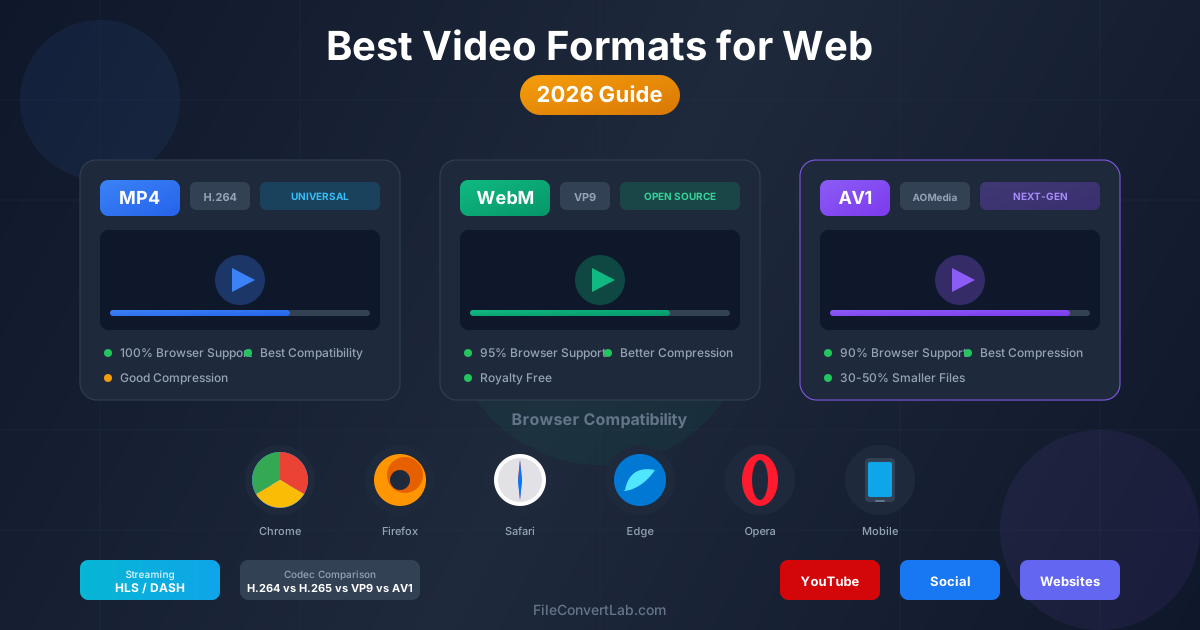
Choosing the right video format for web publishing directly impacts load times, user experience, and bandwidth costs. In 2026, the landscape has evolved significantly: AV1 has matured into a mainstream option, WebM continues to offer excellent open-source alternatives, and MP4 remains the universal fallback. This guide compares all major web video formats, their browser support, codec options, and helps you decide which format fits your specific use case.
Web video landscape in 2026
The web video ecosystem has transformed dramatically over the past few years. Hardware acceleration for AV1 decoding is now standard in modern devices, making the next-generation codec practical for widespread deployment. Browser vendors have aligned on supporting multiple formats, giving content creators more flexibility than ever before.
Three formats dominate web video delivery: MP4 (using H.264 or H.265 codecs), WebM (using VP9 codec), and AV1 (typically in MP4 or WebM containers). Each serves different purposes and offers distinct advantages in terms of compatibility, file size, and quality. Understanding these differences is essential for optimizing your video delivery strategy.
The shift toward streaming protocols like HLS and DASH has also changed how developers think about video formats. Rather than serving a single file, modern video delivery often involves adaptive bitrate streaming with multiple quality levels and format options for different devices.
MP4 with H.264: the universal standard
MP4 with H.264 (also known as AVC) remains the safest choice for web video in 2026. Despite being the oldest codec in common use, H.264 enjoys 100% browser support across all platforms, including older devices, smart TVs, and embedded systems that may not support newer formats.
The main advantage of H.264 is its universal compatibility. Every web browser, mobile device, and video player can handle H.264 without issues. Hardware decoding support is ubiquitous, meaning playback is smooth even on low-powered devices. This makes H.264 the ideal fallback format for any video delivery strategy.
H.264 strengths
- Universal support — Works on every browser, device, and platform without exception.
- Hardware acceleration — Efficient playback on all devices, including older hardware.
- Mature ecosystem — Extensive tooling, documentation, and encoding optimization.
- Streaming compatible — Full support for HLS and DASH adaptive streaming.
- Consistent behavior — Predictable playback across all environments.
H.264 limitations
- Lower compression efficiency compared to newer codecs (larger files for same quality).
- Licensing fees for commercial encoders (though playback is free).
- Limited to 8-bit color depth in most implementations.
- Maximum resolution of 4K in standard profiles.
When to use H.264
Use H.264 as your baseline format when you need to guarantee playback on every device. It is the safest choice for embedded videos on websites targeting a broad audience, email marketing campaigns, and any situation where you cannot control the viewing environment. H.264 should always be included as a fallback in adaptive streaming setups.
H.265 (HEVC): better compression, licensing complexities
H.265, also known as HEVC (High Efficiency Video Coding), offers approximately 25-50% better compression than H.264 at equivalent quality. This means smaller files or better quality at the same bitrate. However, browser support remains inconsistent due to complex licensing requirements.
Safari supports H.265 natively on Apple devices, leveraging hardware decoding on iPhones, iPads, and Macs. Chrome and Firefox support H.265 only on systems with hardware decoding capabilities, which varies by operating system and GPU. This fragmented support makes H.265 unsuitable as a primary web format but viable for specific audiences.
H.265 browser support in 2026
| Browser | Windows | macOS | iOS | Android |
|---|---|---|---|---|
| Chrome | Hardware only | Hardware only | No | Hardware only |
| Firefox | Hardware only | Hardware only | No | Hardware only |
| Safari | N/A | Yes | Yes | N/A |
| Edge | Hardware only | Hardware only | No | Hardware only |
WebM with VP9: the open alternative
WebM is an open container format developed by Google, typically paired with the VP9 video codec.
VP9 offers compression efficiency comparable to H.265 without the licensing complications. Browser support is excellent across Chrome, Firefox, Edge, and Opera, though Safari adoption has been limited historically.
In 2026, Safari has improved its WebM support, making VP9 a practical option for most web audiences.
YouTube has used VP9 as its primary codec for years, demonstrating the format's capability to handle massive-scale video delivery. The royalty-free nature of VP9 makes it particularly attractive for organizations concerned about licensing costs.
VP9 strengths
- Royalty-free — No licensing fees for encoding or decoding.
- Excellent compression — 30-40% smaller files than H.264 at equivalent quality.
- Wide browser support — Over 95% of browsers support VP9.
- YouTube standard — Proven at massive scale for streaming video.
- HDR support — VP9 Profile 2 supports 10-bit color and HDR content.
VP9 limitations
- Encoding is more computationally intensive than H.264.
- Hardware decoding support varies by device age and manufacturer.
- Safari support has historically lagged behind other browsers.
- Some older Android devices lack efficient VP9 hardware decoding.
VP9 browser support in 2026
| Browser | Desktop | Mobile |
|---|---|---|
| Chrome | Full support | Full support |
| Firefox | Full support | Full support |
| Safari | Full support (macOS 14+) | Full support (iOS 17+) |
| Edge | Full support | Full support |
| Opera | Full support | Full support |
AV1: the next-generation codec
AV1 (AOMedia Video 1) represents the cutting edge of video compression technology. Developed by the Alliance for Open Media (including Google, Apple, Microsoft, Netflix, and others), AV1 delivers approximately 30-50% better compression than VP9 and H.265. In 2026, hardware support has become widespread, making AV1 practical for mainstream web deployment.
The key advantage of AV1 is its combination of superior compression and royalty-free licensing.
For video-heavy websites and streaming services, AV1 can significantly reduce bandwidth costs while maintaining or improving quality. Netflix, YouTube, and other major platforms now use AV1 as their preferred codec for compatible devices.
Hardware encoding and decoding support has expanded dramatically. Modern GPUs from NVIDIA, AMD, and Intel include AV1 hardware acceleration. Apple Silicon chips (M1 and later) support AV1 decoding, and most smartphones released since 2023 include AV1 hardware support. This ecosystem maturity makes AV1 viable for production web video.
AV1 strengths
- Best-in-class compression — 30-50% smaller files than VP9/H.265.
- Royalty-free — Open standard with no licensing fees.
- Future-proof — Designed for 8K, HDR, and wide color gamut content.
- Industry backing — Supported by all major tech companies.
- Growing hardware support — Modern devices include AV1 acceleration.
AV1 limitations
- Encoding is significantly slower than H.264 or VP9 (improving with hardware encoders).
- Older devices (pre-2022) may lack hardware decoding support.
- Browser support is not yet 100% (though over 90% coverage in 2026).
- Some embedded systems and smart TVs may not support AV1.
AV1 browser support in 2026
| Browser | Desktop | Mobile |
|---|---|---|
| Chrome | Full support | Full support |
| Firefox | Full support | Full support |
| Safari | Full support (macOS 14+) | Full support (iOS 17+) |
| Edge | Full support | Full support |
| Opera | Full support | Full support |
Complete codec comparison
Understanding how these codecs compare across key metrics helps you make informed decisions about your video delivery strategy.
| Feature | H.264 | H.265 | VP9 | AV1 |
|---|---|---|---|---|
| Year released | 2003 | 2013 | 2013 | 2018 |
| Browser support | 100% | ~70% | ~95% | ~90% |
| Compression vs H.264 | Baseline | ~40% better | ~35% better | ~50% better |
| Licensing | Patented | Complex patents | Royalty-free | Royalty-free |
| Hardware encoding | Universal | Widespread | Limited | Growing |
| Hardware decoding | Universal | Widespread | Widespread | Modern devices |
| Encoding speed | Fast | Medium | Medium | Slow |
| Max resolution | 4K | 8K | 8K | 8K+ |
| HDR support | Limited | Yes | Yes | Yes |
Streaming protocols: HLS and DASH
Modern web video delivery increasingly relies on adaptive bitrate streaming rather than progressive download. Two protocols dominate: HLS (HTTP Live Streaming) developed by Apple and DASH (Dynamic Adaptive Streaming over HTTP) as an open standard. Both allow the player to switch between quality levels based on network conditions.
HLS (HTTP Live Streaming)
HLS was originally developed by Apple and is the native streaming protocol for iOS and macOS. In 2026, HLS enjoys near-universal support across all major browsers, making it a safe choice for streaming video. HLS traditionally used H.264 but now supports H.265, VP9, and AV1 codecs through fMP4 (fragmented MP4) containers.
Key advantages of HLS include its simplicity, wide CDN support, and seamless integration with Apple devices. Most video hosting platforms and CDN providers offer HLS as their primary streaming format. The protocol handles live streaming, VOD (video on demand), and DVR-style playback.
DASH (Dynamic Adaptive Streaming over HTTP)
DASH is an open ISO standard that offers more flexibility than HLS. It supports a wider range of DRM systems and codec options. YouTube uses DASH for its video delivery, demonstrating the protocol's scalability. DASH works well with all major codecs including H.264, H.265, VP9, and AV1.
While DASH is technically more capable, it requires JavaScript-based players (like dash.js) for browser playback, unlike HLS which can play natively in Safari. For maximum compatibility, many services offer both HLS and DASH streams.
Choosing between HLS and DASH
- Use HLS when targeting Apple devices or when simplicity is prioritized.
- Use DASH when you need advanced DRM options or have specific codec requirements.
- Use both for maximum device compatibility in production environments.
Recommendations by use case
YouTube and video platforms
For YouTube uploads, use MP4 with H.264 codec. YouTube handles transcoding internally and will generate VP9 and AV1 versions automatically for compatible devices. Focus on uploading the highest quality source possible; YouTube's encoding pipeline will optimize for delivery.
Social media (Instagram, TikTok, Twitter)
Social platforms also prefer MP4 with H.264. These platforms handle their own transcoding, so upload quality matters more than format optimization. Follow each platform's recommended specifications for resolution and bitrate to avoid unnecessary re-encoding losses.
Website embedded videos
For self-hosted website videos, implement a multi-format strategy using the HTML5 video element's source fallback mechanism:
- Primary: AV1 in MP4 — Best compression for modern browsers (90%+ coverage).
- Secondary: VP9 in WebM — Fallback for browsers without AV1 support.
- Tertiary: H.264 in MP4 — Universal fallback for legacy devices. This approach minimizes bandwidth for most visitors while ensuring everyone can watch the video. For high-traffic sites, the bandwidth savings from AV1 can be substantial.
E-commerce product videos
Product videos should prioritize fast loading and universal compatibility. Use H.264 at moderate bitrates (2-4 Mbps for 1080p) to ensure quick loading on all devices. Consider lazy loading and autoplay without sound for product demonstrations. Keep videos short (under 30 seconds) for optimal engagement.
Online courses and education
Educational content often involves longer videos where compression efficiency matters. Use AV1 or VP9 as the primary format with H.264 fallback. Implement adaptive bitrate streaming (HLS or DASH) to handle varying student internet connections. Consider downloadable versions in H.264 for offline viewing.
Live streaming
Live streaming requires low-latency encoding, which favors H.264 due to its fast encoding speed.
While AV1 real-time encoding is improving, H.264 remains the practical choice for most live streaming scenarios. Use HLS or DASH with short segment lengths (2-4 seconds) to minimize latency.
Best practices for web video in 2026
1. Implement format fallbacks
Never rely on a single video format. Use the HTML5 video element's multiple source feature to provide fallbacks. Browsers will select the first format they support, allowing you to serve modern codecs to capable browsers while maintaining compatibility.
2. Optimize for mobile first
Over 60% of video viewing happens on mobile devices. Ensure your videos load quickly on cellular connections by offering lower bitrate options. Test playback on actual mobile devices, not just browser emulation.
3. Use lazy loading
Do not load video content until the user scrolls near it or indicates intent to watch. This improves page load times and reduces bandwidth waste for videos that may never be watched.
4. Provide poster images
Always include a poster image for video elements. This improves perceived loading speed and provides a preview of content. Use optimized WebP or AVIF images for poster frames.
5. Consider accessibility
Include captions and transcripts for video content. Many users watch videos with sound off, especially on mobile. Captions improve engagement and SEO while meeting accessibility requirements.
The verdict: which format should you use?
For most web video in 2026, the optimal strategy involves multiple formats:
- AV1 should be your primary format when targeting modern browsers and optimizing for bandwidth.
- VP9 (WebM) serves as an excellent secondary option with broad support and no licensing concerns.
- H.264 (MP4) remains essential as a universal fallback that works everywhere. For simpler use cases where you want a single format, MP4 with H.264 is still the safest choice in 2026. It works everywhere without exception. However, if bandwidth costs are significant or you are targeting primarily modern audiences, investing in AV1 encoding pays dividends.
The future clearly belongs to AV1. As hardware support becomes ubiquitous and encoding tools improve, AV1 will likely become the dominant web video codec within the next few years.
Implementing AV1 now positions your video delivery for the future while the H.264 fallback ensures no viewer is left behind.