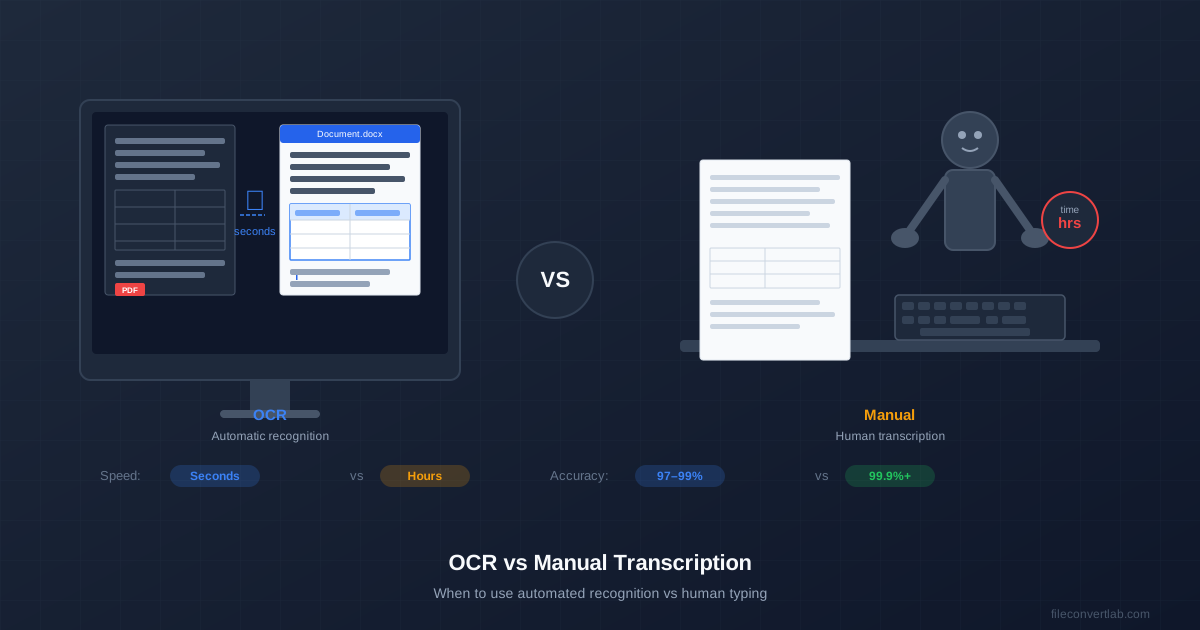
You have a stack of scanned documents and need the text out of them. Two options: run them through OCR in minutes, or have someone type them out over hours. Use OCR for clean printed or typed pages; type by hand when the text is handwritten, badly damaged, or so high-stakes that every word must be checked anyway. The rest of this guide shows where the line falls.
This guide breaks down OCR vs manual transcription honestly: speed, accuracy, cost, and the specific cases where each approach is the clear winner.
OCR vs Manual Transcription at a Glance
| Factor | OCR | Manual transcription |
|---|---|---|
| Speed | Seconds to minutes per document | Minutes per page |
| Cost | Free or cheap per page | Paid by the hour, page or word |
| Clean typed text | Very good — a quick proofread catches the rest | Very good, with a second pass |
| Handwriting | Poor, especially cursive | Good if the reader can decipher it |
| Damaged originals | Drops quickly | A person can use context |
| Scale | Hundreds of pages in one run | Limited by typing hours |
| Context interpretation | None | Yes |
When OCR Is the Right Choice
OCR is not just "good enough" for these cases — it's actually the better choice, even compared to a human typist.
Typed, printed documents
OCR was built for this. A cleanly scanned typed page — 300 DPI, good contrast, no shadows — comes out with only occasional mistakes that a quick proofread catches, much like the typos a fast human typist leaves behind.
For converting an existing PDF to editable text, our OCR PDF to Word converter handles this without any setup — pick the document language from the 29 in the list, upload, and download a DOCX. If your PDF already has selectable text (wasn't scanned), use regular PDF to Word instead — no OCR needed.
High-volume document digitization
If you have 500 pages of archive documents to digitize, manual transcription would take a team weeks. OCR gets through the same stack in a fraction of that time, and even with a few errors per page you get searchable text across all 500 pages — something that would cost a lot of money and days of work to do by hand.
For photos or scans saved as images, the image to Word OCR converter takes up to 20 files at once and returns the results as one ZIP.
Making documents searchable
Sometimes you don't need to edit the text — you just need to be able to search it. Converting a scanned PDF to a searchable PDF embeds the recognized text invisibly behind the original image. The document looks identical, but Ctrl+F now works. This is often better than a full transcription for archival purposes, because the original image stays the reference.
Form data extraction
Printed forms — invoices, receipts, registration cards — with typed entries suit OCR well. The structured layout helps recognition, and a quick check of the key fields (totals, dates, reference numbers) is much faster than typing every form.
When Manual Transcription Is Better
OCR has real limitations. For these cases, manual transcription is not a luxury — it's the only reliable option.
Cursive and messy handwriting
Standard OCR is built for printed text. Cursive connects letters in ways it can't separate, and the output is often too broken to be worth correcting — at which point you might as well have typed it from scratch. Specialized handwriting recognition services do better on neat writing but still struggle with personal or historical scripts. For what OCR actually does with handwriting, see our handwritten text recognition guide.
Poor quality or damaged originals
A water-stained document, a torn page, or a photocopy of a photocopy hurts OCR badly. A human can often read through damage using context — "that smudged word is probably 'agreement' because this is a contract." OCR has no such inference ability.
Audio and video transcription
OCR reads images. It cannot transcribe spoken audio at all — that requires either speech-to-text software (fast, automated) or a human transcriptionist (slower, better for technical or specialised content). This is worth stating clearly because "transcription" often means audio-to-text.
High-stakes legal and medical documents
Even a handful of wrong words per page is fine for an internal memo. For a signed legal contract, a medical record, or a medication dosage log, a single wrong word can have serious consequences. In these cases, manual transcription — or OCR followed by a full word-by-word check — with a second review is the standard, and for good reason.
A Practical Decision Framework
Use this to decide quickly:
- Typed text, good scan quality, not legally critical? Use OCR. It's faster, cheaper, and accurate enough.
- 100+ pages of printed archive material? Use OCR — the volume alone makes manual transcription impractical.
- Mixed printed and handwritten document? Use OCR for the printed sections and type the handwritten parts yourself.
- Cursive handwriting, poor scan, or legal/medical document? Use manual transcription. Correcting bad OCR output takes longer than typing it.
- Audio or video content? OCR doesn't apply. Use speech-to-text software or a transcription service.
How Much Time Each Approach Takes
You can estimate manual transcription yourself: a typical page holds 250–300 words, so at a steady 60 words per minute a 10-page, 2,500-word document takes about 40 minutes of typing, before any checking. At 40 words per minute it's over an hour.
OCR time is mostly upload and processing, and a proofread on top. Checking OCR output side by side with the scan is much faster than typing the same page, which is why the hybrid approach below wins for most typed documents.
What decides the error count is the input: resolution, contrast, straight pages, clean print. Scanning quality is the highest-leverage improvement you can make — our OCR accuracy tips cover the settings that matter.
Using OCR and Manual Transcription Together
The most practical approach for many workflows is a hybrid: OCR first, then human review. Let OCR handle the bulk conversion, then have a person proofread and correct the output. This is dramatically faster than full manual transcription and more accurate than unreviewed OCR.
A typical workflow: run the document through OCR, get the Word output, then compare the original scan and the converted document side by side. Watch for the classic OCR slips — "rn" read as "m", 0 and O or 1 and l swapped, and numbers in tables.
To start the OCR step, upload your scanned PDF to our OCR PDF to Word converter and get a DOCX file ready for human review.